
remote managed it services
When an order system stalls mid-shift, the floor may keep running while scheduling, shipping, and office work fall behind. Remote managed it services put routine monitoring, support, and security work in the hands of a team that connects to your systems off-site. Issues requiring physical work still need an onsite plan.
Key Takeaways
- Remote managed IT services shift monitoring, support, and security work to an off-site team, which shortens response times without waiting for a truck roll.
- Routine issues like ticket response, patching, and endpoint monitoring get handled remotely, so your team stays focused on production instead of chasing IT problems.
- Physical work still requires an onsite plan, so ask any prospective provider how they cover hardware failures and plant-floor equipment that cannot be touched remotely.
- For manufacturers, the real measure of a provider is operational: fewer recurring issues, protected uptime, and predictable costs rather than faster break-fix repairs.
The buying question is which problems the provider can own remotely, how escalation works, and when a technician will come to your plant. Here is what that boundary looks like in practice.
What Remote Managed IT Services Actually Cover (and What Happens Day to Day)
Remote managed IT services are ongoing support and administration delivered through secure connections to your company’s computers, servers, cloud systems, and network. The provider monitors systems, handles user requests, applies approved updates, checks backups, and investigates recurring problems. Physical equipment, cabling, and hands-on machine access still need an onsite plan.
The Definition, Stated in Plain Operational Terms
For a manufacturer, remote support means someone can investigate a failed login, slow file share, or ERP access problem without first driving to the plant. The aim is to restore the work people need to do and identify why the incident happened. Andromeda Managed IT & OT Services is designed for environments where office systems and operational technology (OT), the systems that support production equipment, must be managed with production uptime in mind.
Core Deliverables: Monitoring, Help Desk, Patching, Backup, and Endpoint Security
Day-to-day coverage can include monitoring servers and network equipment, answering employee requests, managing software updates, checking backup status, and protecting computers with endpoint security. Changes should be coordinated around maintenance windows, especially when a server supports production scheduling or a machine controller cannot be patched.
Here is what that looks like on the floor when support is reactive or poorly coordinated:
- The same ERP login issue returns across multiple shifts.
- A backup job fails, but nobody confirms whether recovery is possible.
- An update interrupts access to a system used for shipping or production planning.
- Employees wait through a phone tree while a line-side problem remains unresolved.
How Remote Delivery Works: RMM Tools, Live Tech Answered Calls, and Root-Cause Ticketing
Remote monitoring and management (RMM) tools let technicians check system health and perform authorized maintenance without being onsite. A useful service desk records the symptom, affected equipment or user, business impact, actions taken, and whether the issue has happened before. That record helps the provider investigate recurring faults instead of closing each ticket as an isolated event.
Andromeda reports a 12.0-minute median ticket response time and says 97% of issues are resolved within 8 business hours. These published results do not promise that every plant issue can be fixed remotely or within the same timeframe.
Security and Compliance as a Built-In Layer (EDR, Zero Trust, CMMC, NIST Alignment)
Security work may include endpoint detection and response (EDR), which monitors devices for suspicious activity, and Zero Trust controls that limit access based on identity and need. For manufacturers handling covered information, alignment with the Cybersecurity Maturity Model Certification (CMMC) and National Institute of Standards and Technology (NIST) guidance can help organize security practices and assessment evidence. Andromeda Managed IT & OT Services includes security and compliance support, with controls and documentation shaped around your systems and obligations.
The Remote vs. Onsite Boundary: What a Remote Team Can Own and What Needs Boots on the Floor

A remote team can manage many systems that keep production information moving, but remote access cannot replace hands-on work. Before signing, ask who owns each task, how the provider determines onsite service is needed, and who coordinates access with your plant team. Remote managed IT services work best when remote support and onsite response belong to one process with clear responsibility.
Tasks a Remote Team Fully Owns: ERP and MES Support, Network Monitoring, Cloud Administration, User Issues
Remote technicians can often investigate ERP access, manufacturing execution system (MES) application errors, Microsoft 365 accounts, cloud services, server alerts, and employee device problems. Network monitoring can flag connection failures between systems, while remote administration can address permitted configuration or account changes. The provider should recognize when a symptom could affect production and communicate with the person responsible for the floor before making a change.
Tasks That Require Onsite Work: Cabling, Hardware Swaps, OT Device Commissioning, Plant Network Installs
Physical faults need physical access. Replacing a failed switch, tracing damaged cabling, installing network hardware, or commissioning an OT device generally requires someone at the facility. Your agreement should specify dispatch responsibility, coverage area, access procedures, and coordination with maintenance and operations, even when remote staff diagnose the likely cause.
| Work type | Remote team can typically own | Onsite work is needed when |
|---|---|---|
| ERP, MES, and user support | Account access, application investigation, and approved settings changes | A workstation, scanner, or connected device needs physical repair or replacement |
| Network operations | Monitoring, configuration review, and remote troubleshooting | Cabling, switch replacement, or a plant network installation is required |
| Security and maintenance | Reviewing alerts, managing supported updates, and checking backup status | A device needs hands-on inspection or cannot be safely reached through remote tools |
| Production equipment | Coordinating investigation with internal staff and documenting network symptoms | OT commissioning or direct work on a controller is required |
The Hybrid Dispatch Model: How Remote-First Providers Handle Escalation to a Live Technician
When remote troubleshooting points to a physical fault, the provider should explain the finding, identify the required onsite work, and coordinate with your designated contact. Ask whether it dispatches its own technician, uses an approved local resource, or expects your staff to handle the hands-on task. Andromeda reports an average phone pickup time of 1 minute 34 seconds; clarify separately how onsite dispatch is arranged and what the agreement covers.
Why Manufacturing Adds a Second Boundary: Legacy Controllers, Flat Networks, and Machines That Cannot Be Patched
Some machines rely on legacy controllers or unsupported operating systems that cannot take routine updates without testing and production planning. A flat plant network can also let office devices and production equipment communicate more broadly than intended. Remote specialists can review network paths, monitoring, and segmentation plans, but changes must account for machine dependencies, vendor restrictions, and maintenance windows. A capable provider makes those limits explicit and consults operations before changing production connectivity.
How to Judge a Provider: The SLA Scorecard With Real Numbers to Demand
When a support request sits unanswered, production staff may lose time before troubleshooting begins. A service-level agreement (SLA) should make response and resolution expectations measurable. For remote managed IT services, ask for definitions, reporting periods, and a clear escalation path for urgent production-impacting incidents.
Response Time vs. Resolution Time vs. Time to Live Technician: Three Different Promises
Response time measures how quickly a provider acknowledges a ticket. Resolution time measures how long it takes to restore service or complete requested work. Time to a live technician measures how long a caller waits to speak with someone who can begin triage. These are separate measures; a fast automated acknowledgment does not mean diagnosis has started.
Ask how each clock is defined, when it pauses, and whether urgent production issues have a separate escalation path. Confirm whether resolution means a permanent fix, a workaround, or restored access while root-cause work continues. These definitions determine what reported numbers mean to your team.
The Scorecard: Published Metrics Worth Demanding From Any Provider
Use a written scorecard during provider discussions and contract review. Request recent, dated results, the measurement window, and reporting by priority level. Andromeda’s published service metrics are updated weekly from trailing 30 days; use them as a transparent reference, not as a claim that every provider measures performance the same way.
| Measure | Andromeda published result | What to ask a provider |
|---|---|---|
| Time to live technician | 1 minute 34 seconds average phone pickup | Does this measure a live technician or an automated greeting? |
| Ticket response | 12.0 minutes median response time | When does the response clock start, and how is the median calculated? |
| Resolution within business hours | What counts as resolved, and how are exceptions reported? | |
| Customer satisfaction | 91.4% customer satisfaction rating | How often is satisfaction measured, and who can review the results? |
Andromeda's Numbers as a Benchmark: 12-Minute Median Response and 97% Resolved Within 8 Business Hours
Andromeda Managed IT & OT Services reports a 12.0-minute median ticket response time, resolution of 97% of issues within 8 business hours, and an average phone pickup time of 1 minute 34 seconds. These measures give you concrete questions about reporting, escalation, and accountability, but they do not mean every complex incident will follow the same path.
Put the measures in context: a user account ticket differs from a network fault affecting production. Ask how the provider prioritizes each situation and communicates status to operations.
Pricing Models and What Usually Falls Outside the Agreement
A monthly per-user or per-device fee can make routine support costs easier to plan, while project work and hardware may be billed separately. Before signing, identify included locations, supported systems, service hours, onsite dispatch terms, after-hours rates, and any minimum contract period. Ask how the provider handles new equipment, acquisitions, and changes in user count.
Clarify exclusions such as cabling, major network upgrades, software licensing, hardware replacement, and remediation of pre-existing problems. A low recurring fee can leave important work outside the agreement. Document who approves out-of-scope costs and how production-related work is scheduled.
Questions to Settle Before Signing
- Are phone pickup, ticket response, and resolution measured separately?
- Which events change priority, especially when production or shipping is affected?
- How are recurring incidents tracked and reported to your leadership team?
- Which onsite, project, and after-hours costs are excluded from the monthly fee?
Choosing the Right Model: Fully Managed, Co-Managed, or Break-Fix
The right support model depends on who can own daily IT work, how much production knowledge it requires, and what happens when recurring faults return. A small internal team may know the plant well but lack time for maintenance, security, and user support. Break-fix can leave those duties untouched until an incident interrupts work. Fully managed or co-managed agreements set clearer ownership before the next shift is affected.
Comparison Table: What Each Delivery Model Costs and Delivers
Compare the work included, not just the monthly fee. Break-fix generally bills when a problem occurs, while managed models use ongoing agreements. Project work, hardware, licensing, and onsite dispatch may be priced separately, so confirm those terms before comparing budgets.
| Model | Typical cost structure | What your plant receives | Trade-off to consider |
|---|---|---|---|
| Break-fix | Charges when service is requested | Repair work after a reported problem | Monitoring, prevention, and root-cause follow-up may not be included |
| Fully managed | Recurring agreement, with defined inclusions and exclusions | Ongoing support, administration, security, and service accountability | Requires clear scope, onboarding, and coordination with plant operations |
| Co-managed | Recurring fee for agreed work alongside internal IT | Additional capacity and defined shared responsibilities | Both teams need written ownership and a reliable escalation process |
Why Co-Managed IT Fits the Plant With One Overloaded Internal IT Person
When one IT lead handles employee requests, vendor coordination, infrastructure, and production-system issues, planned work can keep slipping. Co-managed IT adds capacity while that person retains internal knowledge and decision-making authority. Agree on who manages user accounts, approves changes, contacts equipment vendors, and reports risks to leadership. Andromeda Managed IT & OT Services can work alongside an existing internal team, with responsibilities shaped around the plant’s needs.
What Specialization Adds: OT, MES, and ERP Experience a Generalist Cannot Offer
A support team that understands operational technology (OT), manufacturing execution systems (MES), and enterprise resource planning (ERP) can ask better questions when a production issue appears. Is the problem limited to an office workstation, or does it affect a data path used by production? Does a proposed change depend on a maintenance window or machine vendor approval? That context helps the provider coordinate with operations instead of treating every alert as routine office IT.
The Transition Playbook: Switching Providers Without Stopping Production
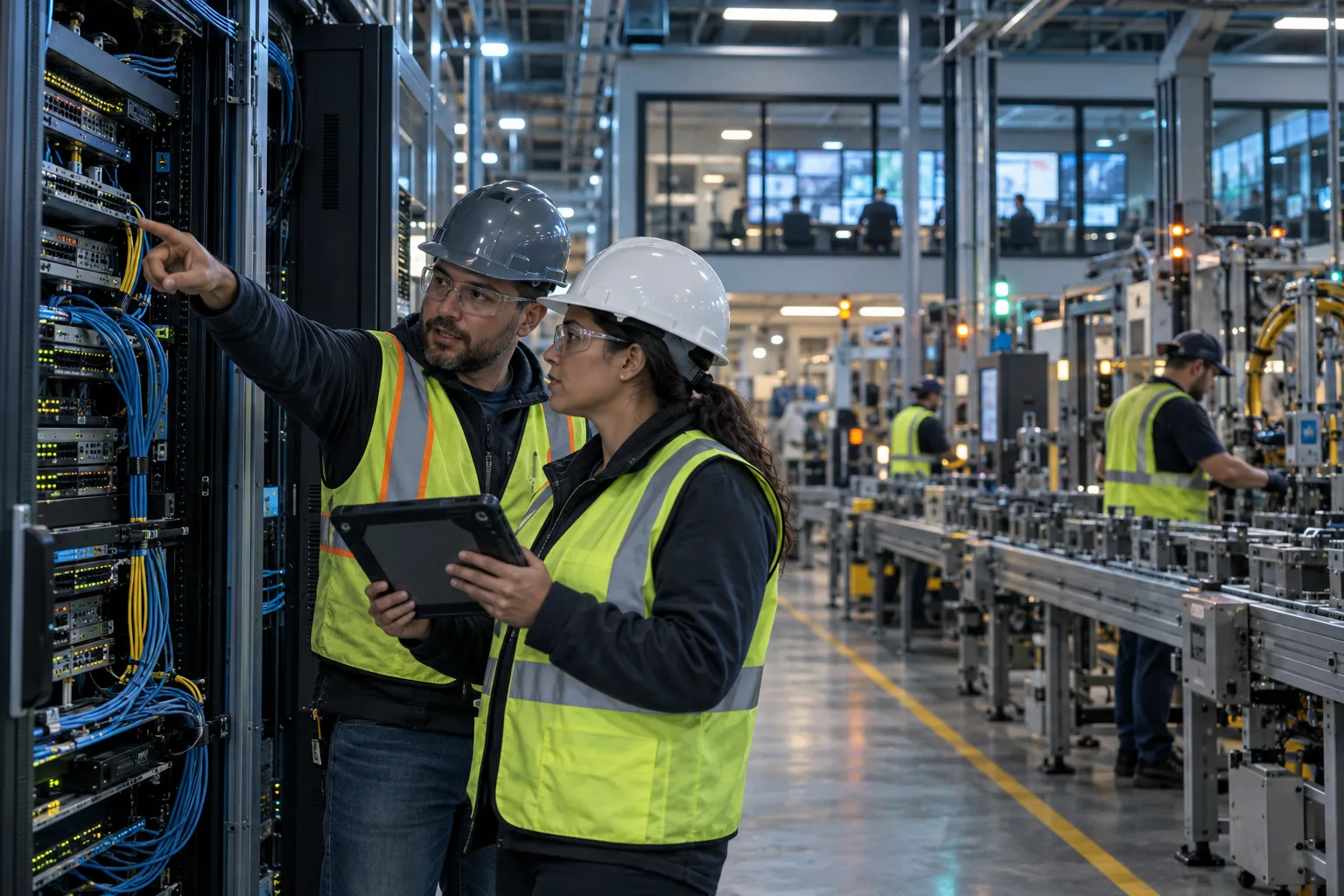
A provider change can expose missing passwords, undocumented network paths, old vendor accounts, and neglected systems. A handoff needs an inventory, named owners, and a change plan that reflects shift schedules and equipment dependencies. Keep the outgoing provider involved until access, responsibilities, and escalation paths are confirmed.
A Five-Step Onboarding Timeline From Incumbent to New Provider
Use a phased handoff so your team can see what has been verified and what remains open.
- Assess and align: Review systems, risks, service agreements, contacts, and production constraints.
- Confirm access: Inventory administrative accounts, backups, network diagrams, licenses, and vendor contacts.
- Take command: Set ticket routing, escalation owners, reporting expectations, and approval rules for changes.
- Secure and validate: Review security controls and backup status, then schedule needed remediation with operations.
- Report and guide: Track open risks, recurring incidents, and roadmap work in regular leadership reviews.
Do not schedule broad changes just to mark the handoff complete. Verify dependencies first, then sequence work around production requirements.
The Normalization Period: What the First 3-9 Months Realistically Look Like
Early weeks often go toward learning the environment, documenting gaps, and stabilizing inherited issues. Andromeda reports that typical clients see a roughly three-month normalization period, followed by a steady decline in service desk tickets within the first three to nine months. A Chicagoland multi-site manufacturer in Andromeda’s documented case study saw roughly a 50% decrease in IT issues. These are observed patterns, not a guaranteed timetable for every plant.
Andromeda Managed IT & OT Services follows a staged operating model that includes assessment, stabilization, security and compliance work, reporting, and modernization planning. Your team should provide system knowledge, confirm production windows, and review priorities during the transition.
Your Provider Evaluation Checklist and Next Step
Use this checklist in provider meetings and contract review. Ask for written answers tied to your sites, systems, and operating hours.
- Who owns each task, approval, and escalation?
- How will the provider learn production dependencies and document them?
- What requires onsite work, and how is dispatch coordinated?
- Which transition changes need your approval or a maintenance window?
- How will recurring issues, open risks, and progress be reported?
Frequently Asked Questions
What are managed IT services?
Managed IT services are ongoing technology support delivered for a fixed scope rather than after something breaks. A provider monitors your systems, answers employee requests, applies approved updates, checks backups, and investigates recurring problems. For manufacturers, the goal is fewer production-stopping issues, not faster ticket closures.
What is included in remote managed IT services?
Remote managed IT services typically include system monitoring, a help desk with live tech-answered calls, patching, backup status checks, and endpoint security such as EDR (endpoint detection and response). Physical work like cabling, hardware swaps, and OT device commissioning still requires an onsite visit under a defined dispatch plan.
How much do managed IT services cost?
Managed IT services are usually priced as a predictable monthly fee based on users, devices, and the complexity of your environment, replacing the unpredictable invoices of break-fix support. The honest comparison is not invoice against invoice. It is the monthly fee against the shift hours and overtime you lose waiting for a vendor to show up.
How do managed IT services benefit manufacturing companies?
Managed IT services give manufacturers proactive monitoring, faster response to ERP and MES problems, and security practices aligned to CMMC and NIST guidance, all sequenced around production schedules.
What is the difference between remote and onsite IT support?
Remote support handles ERP access problems, user accounts, cloud administration, server alerts, and network monitoring through secure connections. Onsite work is needed for physical faults: replacing a failed switch, tracing damaged cabling, or commissioning an OT (operational technology) device. Your agreement should specify who dispatches the technician and how quickly.
Can a remote IT team support our production floor systems?
A remote team can own ERP and MES application support, network monitoring, and cloud administration, and should recognize when a symptom could affect production. What remote access cannot do is hands-on work on machine controllers or plant network hardware. The best arrangements make remote and onsite response one process with clear responsibility.
How fast should a managed IT provider respond to issues?
Response times should be published and specific, not vague promises. Andromeda reports a 12.0-minute median ticket response time and resolves 97% of issues within 8 business hours, with a 1 minute 34 second average time to a live tech on the phone. Those are our numbers, not a promise about every plant issue.